CartonCloud Mobile User Interface Changes
At CartonCloud we are always looking at new ways to improve how our users are interacting with our web and mobile apps.
Published:
June 3, 2019

TABLE OF CONTENTS
At CartonCloud we are always looking at new ways to improve how our users are interacting with our web and mobile apps. We go out and meet the people that are the end users of the product we put so much effort into developing. Whether it is sending out a mobile app developer to spend a day doing deliveries with a truck driver, or having a quality assurance team member accompany our operations team for a day onsite with a customer - the goal is always to get a better understanding of how our customers (and their customers) use our apps.
As part of this process we are also continuously reviewing the user interface (UI) and user experience (UX) our mobile apps provide. The aim is to ensure that our mobile apps are not only appealing to the eye but are also easy to use and straightforward to understand. Ideally we would like someone who has never used CartonCloud before to pick up an iPhone, install the CartonCloud app and immediately be able to use it effectively, without having to read a lengthy manual first.
This is not always easy to achieve as both our Android and iOS app have seen immense growth in functionality that they are now offering (and there’s always more to come!).
For those of you that have been with CartonCloud for a while, this screenshot may look familiar? Oh, so very 2016!
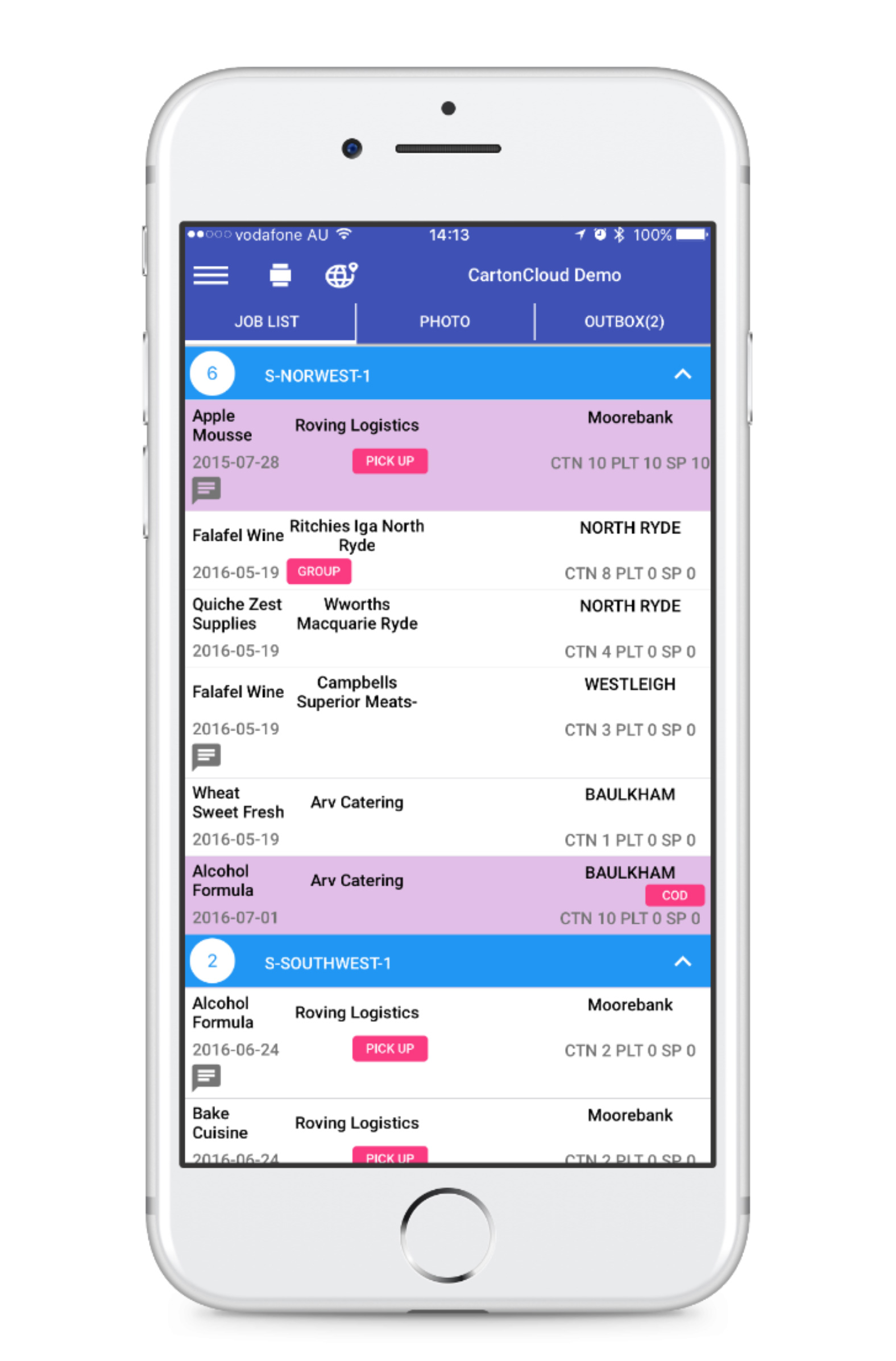
This was before we started introducing warehousing functionality into the mobile apps and just before we started a thorough re-design to make the UI cleaner and more modern.
More recently, we have been working on some further improvements to the UI of the mobile apps, keeping in line with the continuously evolving way that people navigate their mobile devices and the expectations that they have for the apps that they use on a daily basis.
For example, have you noticed the shift from having navigation buttons in the top bar to the bottom bar in many of your favourite apps? A change brought on by many phone screens now becoming too large to be able to operate them easily with one hand if the navigation can only be accessed at the top of the screen.
Over the next few months we will slowly be releasing updates that change the way our mobile apps look, starting with the iOS app. We do not want to overwhelm our users by introducing all the updates in one go but rather work with them to ensure that we can take their feedback on board as we go.
We are excited about the changes that are coming your way and can’t wait to reveal them to you soon!


Explore the resource hub
Tips, tools, downloadable guides and stories from logistics teams who are working smarter.

Get a Free, Honest Read on Your Operation, in About Two Minutes

How to Implement a WMS in Your Small 3PL Business: A Practical Guide
.webp)
This Week in Logistics: Multiple Warehouses, Multiple States, One Standard — How HD Warehousing Does It, With Special Guest Chad Hildebrandt, Owner & COO

August 2026: New Feature Round-Up

Warehouse Software for Cold Storage, Food, and Temperature-Controlled Logistics

This Week in Logistics: Season 2 Returns — US-Canada Tariffs, Oil Volatility, and Panama Canal Cuts All at Once
.webp)
How Do You Know You've Outgrown Basic Warehouse Systems? 7 Signs for Growing US 3PLs
.webp)
CartonCloud Named a 2026 "Great Supply Chain Partner" by SupplyChainBrain
.webp)
Dock Management: How We Built Visibility Into Every Delivery

What's the Best WMS for Small 3PLs That Need an Easy Setup?
.webp)
July 2026 — New Feature Round-up

What US 3PL Operators Really Say About Switching From Slow, Complex WMS Alternatives

CartonCloud vs Competitors: An Honest Comparison from an Implementation Specialist
.webp)
Running Multiple Sites from One WMS System: How HD Warehousing Scaled Without the Complexity
.webp)
This Week in Logistics: The Operator Playbook

Deposco Alternatives: What Growing 3PLs Should Consider

CartonCloud Feature Spotlight: April-June 2026
.webp)
3PL Software Pricing: What You're Actually Paying For (And How to Compare It)

Inside CartonCloud: A Top-Rated 3PL Logistics Software Platform

3PL Software Find the Best Fit for Your Business
