Behind the scenes: The webinar that simply didn't go smooth...
CEO Vincent Fletcher shares his recent experience of conducting a webinar that simply didn't go to plan. Numerous issues were encountered both with hardware and software which lead to several embarrassing moments...
Published:
February 11, 2019

TABLE OF CONTENTS
Over the last 6 months I've run a number of live webinars to assist our clients (and prospects) in training them on the CartonCloud application. These have been the first group-webinars that I've ever run, and I've learned a lot along the way about what works and what doesn't.
On Jan 31 2019 I ran a webinar on the Mobile App WMS which didn't go anywhere near as smooth as any I'd previously run.
Webinar's are pretty daunting experiences. Unlike a one-on-one product demonstration you get absolutely no feedback from anyone. You really have no way of knowing if things are going well, but you can certainly tell if things are going poorly as you'll see the number of "attendees" drop as the webinar goes on.
Before I jump into what went wrong, let me briefly explain the various tools that I use:
- Macbook Pro 16gb Ram + External Monitor for everything that isn't being shared to the audience.
- Rode Podcaster Mic
- Panasonic GH3 camera connected to the computer via a Camlink HDMI->USB adapter.
- Bright Light to light my face
- Zoom for casting the webinar
- Screenflow for simultaneously recording my screen, the iPhone screen and the Panasonic GH3
- Quicktime for recording the feed from my webcam (so I have this as a separate feed as Screenflow can only record 1 video channel at a time)
- Reflector 3 for sharing the iPhone screen to computer (note: Quicktime can also do this but you need the phone plugged in)
- A water bottle (a must when speaking for long periods of time)...
Why this webinar was far more tricky than normal...
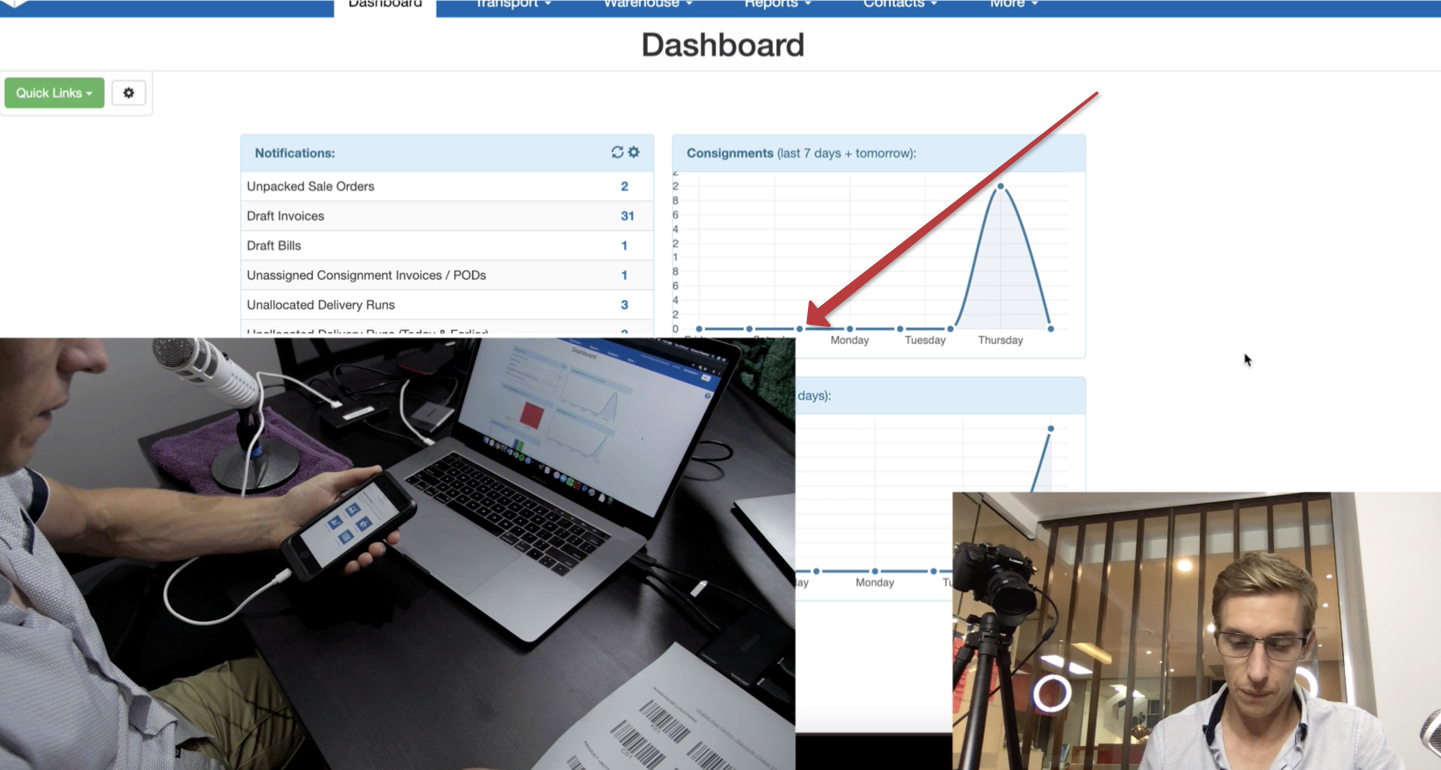
The mobile app warehouse management system webinar was the most complex webinar I've ever had to run. I needed to show when I was using the barcode scanner within the webinar so the presentation made sense to the audience. Technically it was very different to get everything set up to work correctly because the phone was inside a scanning sled (LineaPro), so I couldn't simply connect the phone to the computer via a Lightning Cable, and had to use another application (Reflector 3) to enable screen mirroring from the phone to my MacBook (rather than Quicktime which I'd used previously).
To film myself scanning barcodes, I had the webcam set behind me looking down at the desk. This meant I had to flick between video feeds during the webinar (within Zoom), in order to switch from my face to the other device as I couldn't share both simultaneously over Zoom.
Where it all came unstuck
I had several issues in the webinar. I was rushed right up to the last minute trying to resolve an issue whereby the GH3 camera would not display on my machine and required a reboot literally 2 minutes before the webinar was scheduled to start. I was then rushing, flustered, and it led to a series of mistakes.
- The Panasonic Video recorder hadn't been set to "record", so 5 minutes into the webinar it went to sleep, meaning I could no longer show what I was doing with the phone, and had to keep shifting the computers camera up and down to look at the desk.
- Unlike Quicktime, Reflector stays over-top of any other application while it is in use. Meaning, if you need to see what's behind the Reflector window, you need to move the Reflector application itself.
While trying to move Reflector between two monitors (to get it off my primary monitor so the audience could instead see the web application), I somehow lost the whole window into a void between the two monitors which took me about 2 minutes to get back. I ended up needing to restart Reflector, then ended up with the application on another desktop which caused further issues!
- Later on, again while trying to shift between two monitors I ended up accidentally resizing the Reflector window to a very large size, and being unable to make it smaller again. (Note: I've since found it to be perfectly straightforward when using a mouse, but trackpad is almost impossible!). This is an incredibly frustrating video whereby I simply couldn't click+drag the window to a smaller size! Not a great look when on a live webinar.
- Finally, at the end of the entire webinar I found that in all of the chaos of getting the webinar started I'd not pressed record on my webcam, so didn't have a film of my face. As the GH3 had gone to sleep I had no film of what I was doing with the scanner either. So I ended up with nothing but a very below-average screen share!
Why it went wrong (what I learned, and what you can take away)
While I'd rehearsed the webinar and run through everything on the mobile phone in preparation, I hadn't done so using the final live setup with camera + Reflector. This was a complete oversight as I was unable to plan for the various issues I'd encounter with the dual-camera setup, and also with Reflector itself.
When I went back and re-recorded the webinar, I shifted Reflector to another desktop within the same monitor so I could three-finger swipe back and forth between the web app, and the mobile app seamlessly. This worked really well, and meant I didn't have to try and resize or move the Reflector window at all, so the entire issue of the trackpad was alleviated.
Here's the final recording (from the 2nd take):
Explore the resource hub
Tips, tools, downloadable guides and stories from logistics teams who are working smarter.
This Week in Logistics: A Cost Rule Peak — Canada's Tariffs Go Live, FedEx Guarantees Your Duties, and Peak Season Surcharges Land
What's the Best WMS for Small 3PLs That Need an Easy Setup?
CartonCloud vs Extensiv: Which Platform Delivers More for 3PLs?
Get a Free, Honest Read on Your Operation, in About Two Minutes
How to Implement a WMS in Your Small 3PL Business: A Practical Guide
.webp)
This Week in Logistics: Multiple Warehouses, Multiple States, One Standard — How HD Warehousing Does It, With Special Guest Chad Hildebrandt, Owner & COO
August 2026: New Feature Round-Up
Warehouse Software for Cold Storage, Food, and Temperature-Controlled Logistics
This Week in Logistics: Season 2 Returns — US-Canada Tariffs, Oil Volatility, and Panama Canal Cuts All at Once
.webp)
How Do You Know You've Outgrown Basic Warehouse Systems? 7 Signs for Growing US 3PLs
.webp)
CartonCloud Named a 2026 "Great Supply Chain Partner" by SupplyChainBrain
.webp)
Dock Management: How We Built Visibility Into Every Delivery
.webp)
July 2026 — New Feature Round-up

What US 3PL Operators Really Say About Switching From Slow, Complex WMS Alternatives
CartonCloud vs Competitors: An Honest Comparison from an Implementation Specialist
.webp)
Running Multiple Sites from One WMS System: How HD Warehousing Scaled Without the Complexity
.webp)
This Week in Logistics: The Operator Playbook
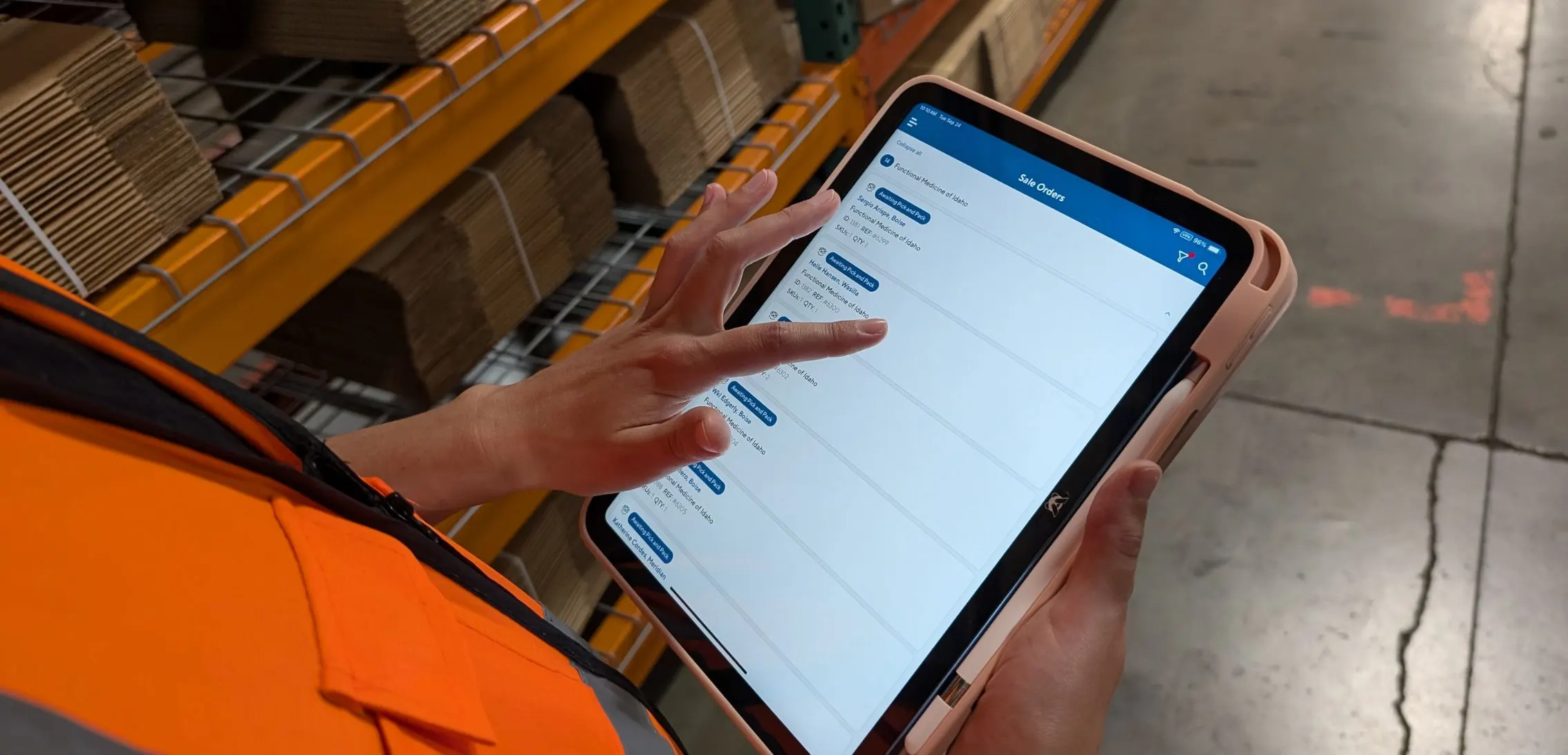
Deposco Alternatives: What Growing 3PLs Should Consider
CartonCloud Feature Spotlight: April-June 2026
.webp)
3PL Software Pricing: What You're Actually Paying For (And How to Compare It)