May 2026 — New Feature Round-up
Now you can export rate cards in full + automatically correct bad address data in CartonCloud. Plus, get a first look at our massive June lineup, featuring Carrier Integrations, new storefronts integrations, and custom BI reporting.
Published:
June 1, 2026
TABLE OF CONTENTS
May was intentionally light on releases — and for good reason. The product team has been deep in build mode, working toward what's shaping up to be one of the biggest months in CartonCloud's history. Carrier Integrations general availability, multiple new storefront integrations, and a BI Dashboard revamp are all targeting June. Two practical improvements did ship — a full rate card export and automatic address correction — but the real story is what's coming.
TL;DR — The short version
What's New?
- Rate cards can now be exported as a PDF or Excel file in full — not just transport rates.
- Address data is now automatically corrected against Google geocoding results when discrepancies are found.
Coming in June:
- Carrier Integrations general availability — expanded scope including Cost+Margin billing, international shipment support, per-warehouse carrier rules, + more.
- Per-Item Packing Slips on the Pack Screen.
- Multiple new storefront integrations.
- BI Dashboard revamp — custom dashboards + reports, embeddable within CartonCloud.
- Item scanning on/off vehicles beta release.
Rate Card Export — PDF and Excel
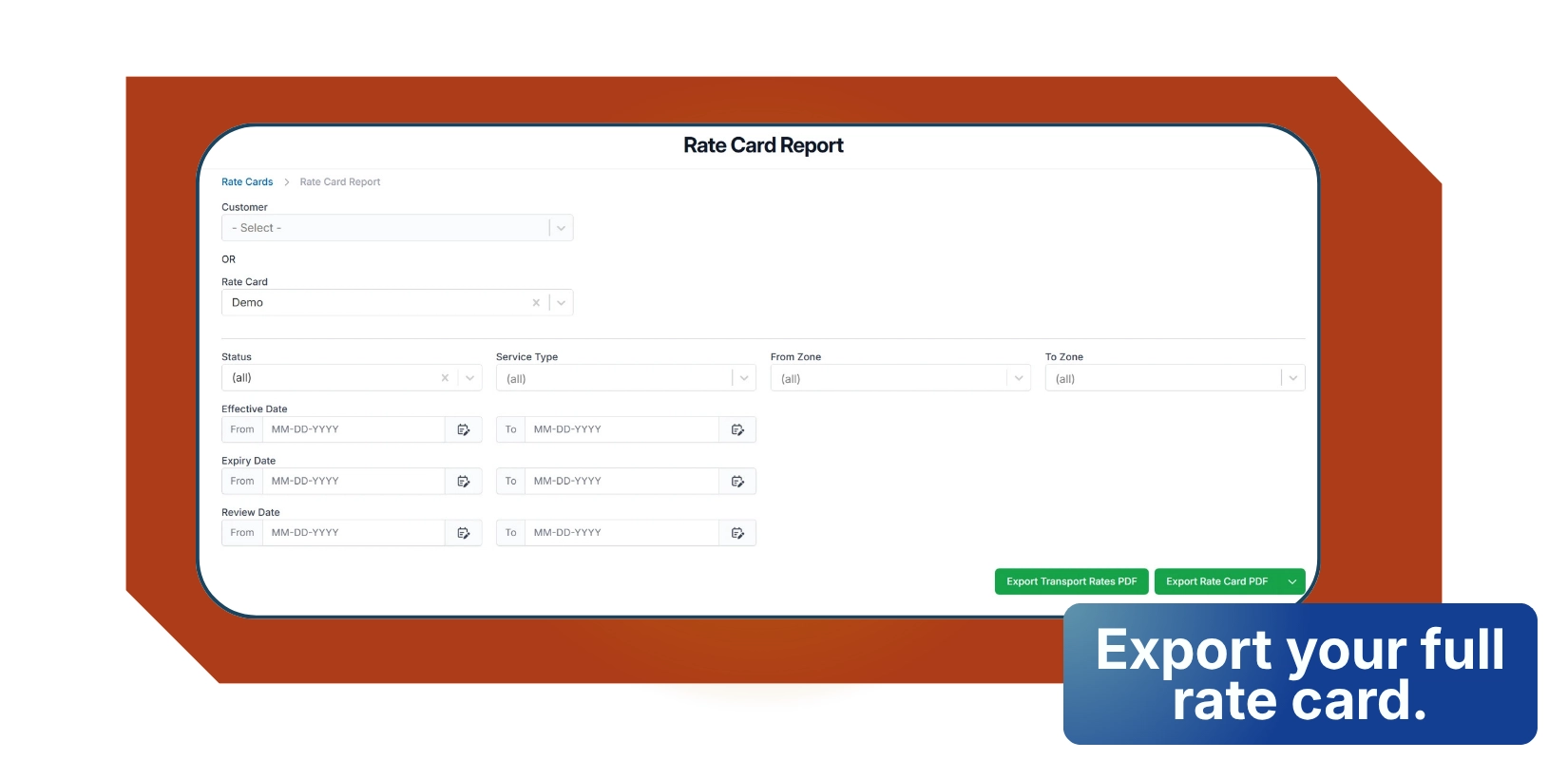
You can now export your full rate card directly from the Rate Card Report page as a PDF or Excel file — including adhoc, storage, handling, and warehouse charges — and share it in a clean, professional format.
Previously, only transport rates could be exported. The new export covers your complete pricing setup based on your account configuration. Select a rate card from the Rate Card Report page and use the export button to download; choose PDF or pick Excel from the dropdown.
Auto-Fix Address Data
Bad address data causes real problems — especially when carrier integrations are involved. A misspelled suburb, wrong postcode, or mismatched state can cause a shipment booking to be rejected outright.
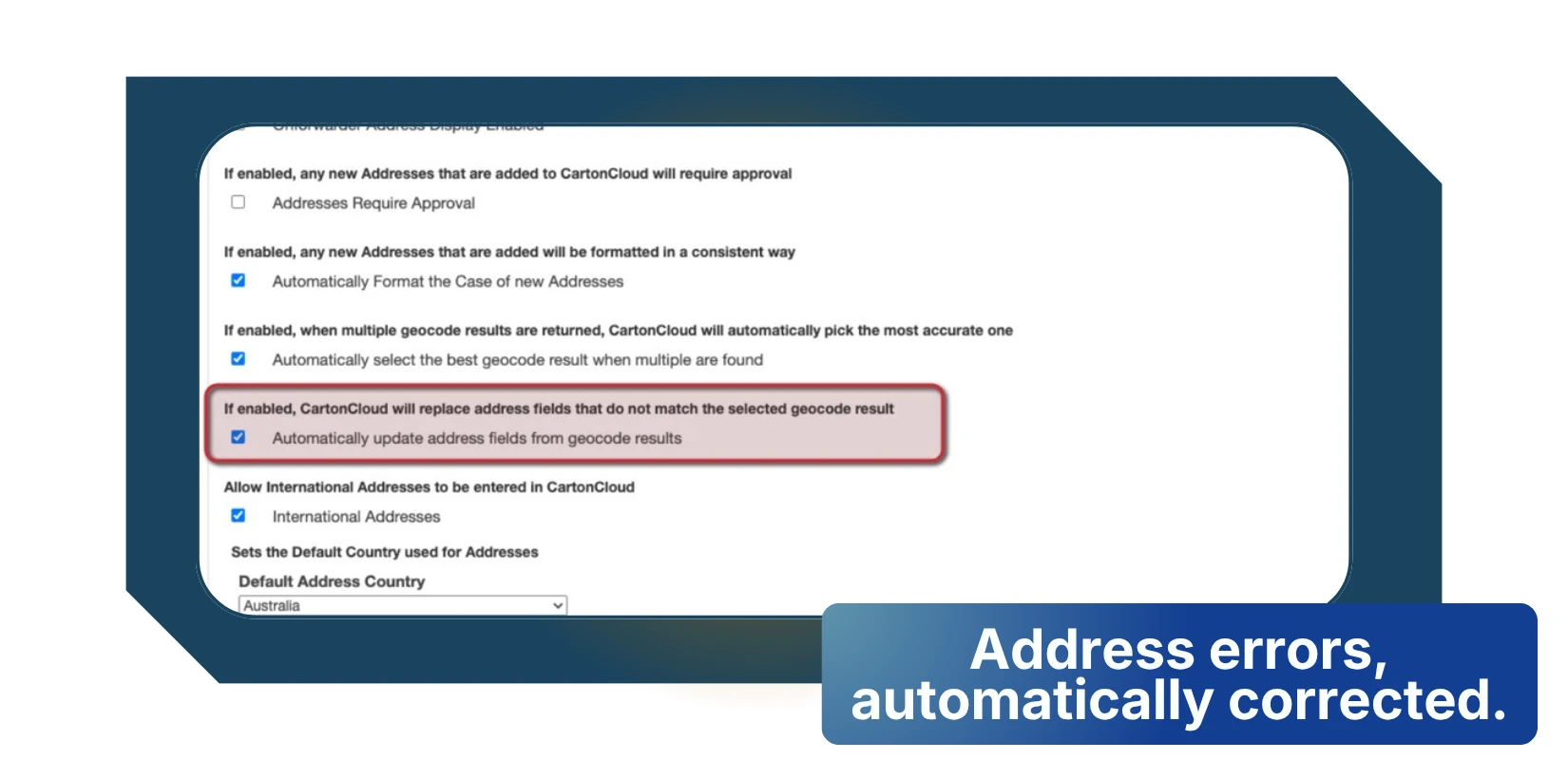
The new Auto-Fix Address Data setting automatically corrects suburb, city, state, and postcode fields whenever Google's geocoding service returns a different result to what's on file. Every automatic correction is written to the address history with a clear record of what changed and when — so there's a full audit trail, no mystery edits.
This is particularly valuable for operators using Carrier Integrations, where clean address data is a hard requirement for successful bookings with platforms like Shippit. The setting is disabled by default for existing accounts and can be switched on under Organisation Settings → Features and Options.
Coming Soon — June is going to be a big one
The team has been running hard on five major releases simultaneously, all targeting June. Here's what's coming.
Carrier Integrations — General Availability
Carrier Integrations beta has been live with select customers since April, and the team has used that time well — expanding the scope significantly based on real-world feedback. General availability (GA) is on track for the second half of June, and it's going to be substantially more capable than we presented in our webinar back in March.
On top of the core platform (book, label, rate-shop, and track across 150+ carriers without leaving CartonCloud), GA will include:
- Cost+Margin Billing — bill based on carrier cost plus a defined margin, using our powerful TMS rating engine, eliminating manual freight charge calculations.
- International Customs Support — additional standard fields on products and sale orders, plus shipping-platform-specific improvements for end-to-end international consignment handling.
- Warehouse-Specific Carrier Selection Rules & Account Mapping — different carrier defaults per warehouse, suited to multi-location operations.
- Customer-Specific Carrier Selection Rules — always pick the right carrier based on who the shipment is for.
- Comprehensive Logging & Self-Diagnostic Tools — every quote, booking, and print request fully logged to bolt execution logs, so issues can be resolved without contacting support.
- Custom Integration Support - Our Integrations team are able to build bespoke carrier and shipping platform integrations which appear alongside the click+connect options on the Pack Screen, and the various configuration screens.
If you'd like early access before general availability please reach out to our team. You can also revisit the full feature overview, watch the webinar, or check the Carrier Connections FAQ.
New Storefront Integrations
Multiple new self-managed storefront integrations are landing in June, making it even easier to connect your sales channels directly to CartonCloud without manual data entry or support involvement. This will include Walmart, TikTok Shop and more.
Per-Item Packing Slips
Per-item packing slips add a new print/download action directly to each consignment item row on the Pack Screen. From there, you can print or download a slip for just that item using a new, dedicated per-item template. You can also trigger all per-item slips for the whole order in one go.
The existing whole-order packing slip template is also being enhanced, with new document placeholders and capability for segmenting by consignments and their items, including being able to see which products are packed into items. All placeholders and capability will be available across both the existing and new pack slip templates.
BI Dashboard Revamp
The BI Dashboard is getting a complete overhaul with the ability to build custom dashboards and reports, and embed them directly within CartonCloud pages. This is a significant upgrade for operators who need more than the standard reporting views to understand their operation, and will be available to those with Warehouse Premium.
Scan Load & Unload — Beta
The Beta covers two complementary workflows:
Scanning onto vehicles (loading): A new Loading mode in the mobile app shows run sheets ready to be loaded. Warehouse staff and drivers can scan consignment item labels using hardware scanners or their device’s camera to confirm each item is on the vehicle. Run sheets gain a new Loading status so managers can track progress in real time. Scan history is recorded against each consignment, giving you a timestamp trail of what was loaded and when.
Scanning off vehicles (unloading): An Unloading mode shows incoming manifests still to be processed. Warehouse staff can scan items as they come off the vehicle, with consignments grouped by customer and filterable by date to make it easy to work through a busy dock. Scan history is captured the same way as for loading, giving full visibility of what arrived and when.
Both workflows are designed to be adopted incrementally — scanning is not enforced, so teams can roll it out at their own pace alongside existing processes.
Also on the way
- Customisable Consignment Item Totals (create your own consignment totals such as Kegs, Trolleys etc in addition to the defaults: Quantity, Pallets, Spaces…)
- Adhoc charges on the Pack Screen
FAQ
Q: What is the Rate Card Export feature in CartonCloud?
A: The Rate Card Export lets you download your full rate card as a PDF or Excel file directly from the Rate Card Report page. It covers all charge types including adhoc, storage, handling, and warehouse charges. Previously only transport rates could be exported. Select a rate card and use the export button to download in your preferred format.
Q: How does Auto-Fix Address Data work in CartonCloud?
A: Auto-Fix Address Data automatically corrects suburb, city, state, and postcode fields when Google's geocoding service returns a different result to what is on file. Every correction is recorded in the address history with a full audit trail. The setting is disabled by default and can be enabled under Organisation Settings, Features and Options.
Q: When is CartonCloud Carrier Integrations general availability launching?
A: Carrier Integrations general availability is on track for the second half of June 2026. It builds on the beta that has been live since April and includes expanded capabilities including Cost+Margin billing, international customs support, per-warehouse carrier rules, and custom integration support built by CartonCloud's integrations team.
Q: What new storefront integrations are coming to CartonCloud in June?
A: Multiple new self-managed storefront integrations are launching in June, including Walmart and TikTok Shop. These connect your sales channels directly to CartonCloud without manual data entry or support involvement, making it faster to onboard new e-commerce clients and keep order data flowing automatically.
Q: What is the BI Dashboard revamp in CartonCloud?
A: The BI Dashboard revamp introduces the ability to build custom dashboards and reports and embed them directly within CartonCloud pages. It is a significant upgrade for operators who need more flexible reporting than the standard views, and will be available to accounts with Warehouse Premium when it launches in June.
Explore the resource hub
Tips, tools, downloadable guides and stories from logistics teams who are working smarter.
WMS vs TMS: What Growing 3PLs Actually Need

5 Signs Your 3PL Needs a Warehouse Management System

This Week In Logistics: When the System Says Forty and the Shelf Says Twelve — How to Close the Inventory Gap, With Special Guest Gaubrielle Pritchard, Director of Product and Customer Marketing, Cin7
.webp)
The CartonCloud Logistics Index 2026: See where your operation stands

Running WMS and TMS Across Multiple Sites in Australia: The Questions We Answered at MegaTrans 2026
CartonCloud Feature Spotlight: July–September 2026

Deposco Alternatives: What Growing 3PLs Should Consider
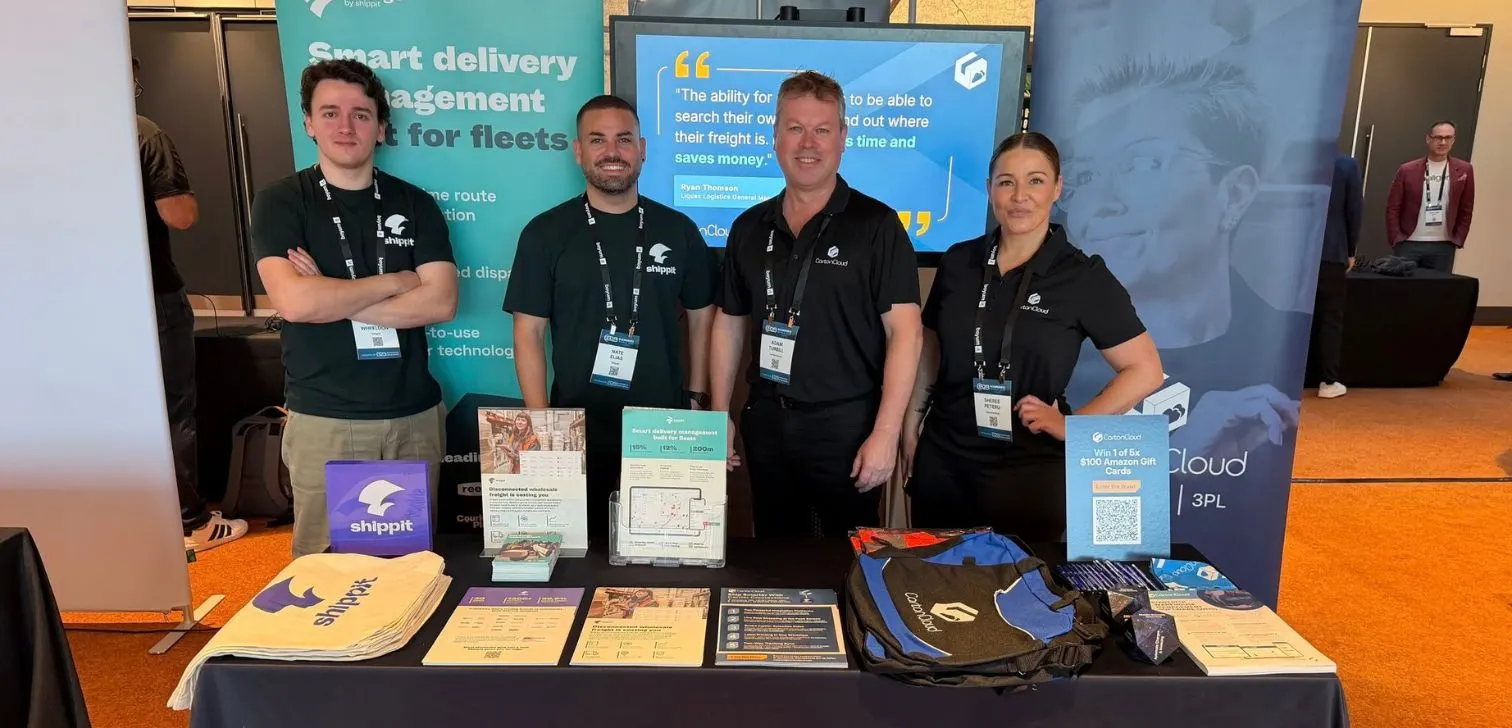
What We Heard at B2B World APAC: Large Brands Want Delivery Visibility, Not Just Warehouse Visibility
The Fastest WMS to Implement for E-Commerce Fulfillment 3PLs in the USA

This Week in Logistics: A Cost Rule Peak — Canada's Tariffs Go Live, FedEx Guarantees Your Duties, and Peak Season Surcharges Land

What's the Best WMS for Small 3PLs That Need an Easy Setup?

CartonCloud vs Extensiv: Which Platform Delivers More for 3PLs?

Get a Free, Honest Read on Your Operation, in About Two Minutes

How to Implement a WMS in Your Small 3PL Business: A Practical Guide
.webp)
This Week in Logistics: Multiple Warehouses, Multiple States, One Standard — How HD Warehousing Does It, With Special Guest Chad Hildebrandt, Owner & COO

August 2026: New Feature Round-Up

Warehouse Software for Cold Storage, Food, and Temperature-Controlled Logistics

This Week in Logistics: Season 2 Returns — US-Canada Tariffs, Oil Volatility, and Panama Canal Cuts All at Once
.webp)
How Do You Know You've Outgrown Basic Warehouse Systems? 7 Signs for Growing US 3PLs
.webp)
CartonCloud Named a 2026 "Great Supply Chain Partner" by SupplyChainBrain
