Spotlight Feature: Photos and Documents on Purchase Orders
Document inbound stock receival with CartonCLoud's most requested feature, Photos and Documents on Purchase Orders. Join Vincent in the warehouse as he shows how to capture images, multi-image, and video footage and assign them to inbound stock records directly from the warehouse floor.
Published:
October 29, 2024

TABLE OF CONTENTS
Get ready to boost inventory accuracy like never before! Explore one of our most highly requested feature from our Ideas Portal – Photos and Documents on Purchase Orders!
Capture Photos and Documents on Warehouse Purchase Orders
CartonCloud's easy to use Photos and Documents on Purchase Orders feature gives you the ability to capture and store photographic and video evidence of stock as it arrives at your warehouse, so you can achieve accurate and detailed record keeping in seconds.
Hear from CartonCloud customers who are already optimising workflows with Photos and Documents on Purchase Orders, and join Vincent as he walks through how to use the new feature in your CartonCloud WMS.
"Customers love this feature, and it’s something not commonly found in a WMS applications. It takes a time-consuming manual process away, and seamlessly integrates it into the app, which greatly enhances efficiency. For new customers coming into our warehouse, this feature is often the first thing that truly impresses them about our 3PL services. From a compliance perspective, we’re also able to store the seal number for biosecurity purposes, ensuring we meet regulatory requirements" — Omar Quevedo, Methods Analyst Effective Logistics.
Easily detail the condition of goods on arrival for inventory records, or use images to quickly and accurately document Chep dockets, track of receival paperwork, or other important details. What's more, you can choose to share these documents with your customers for full transparency, or keep them for internal use only.
Join Vincent in the warehouse as he explains how to use this new feature through the mobile and web app, for seamless inventory tracking and transparency at every step.
How Does it Work? Within each Purchase Order in the web app you’ll notice a new Documents tab. This is where the magic happens. You can upload and store multiple documents as you’re receiving the incoming stock, which will be visible within the web app for that PO to be used internally or shared with your customers.
Here’s a quick breakdown of what you can do:
- Add documents via the mobile app or web app.
- Configure documents to be visible to customers or internal-only.
- Easily share relevant documents with customers through the web portal, and they’ll also be included in Purchase Order Verified and Allocated email notifications.
“We are loving it, it’s made a huge difference to our work speed!” — Emily Motus, Founder Motus Transportation.
Attaching images and video through the mobile app
Share photos and videos that document stock on arrival. Share with your customers to show stock as is entered into the warehouse (detailing damage, status or other details), or keep for internal records only.
This feature enables you to capture a single photograph, multiple images or video — or add images from your gallery — and attach these documents instantly to your inbound Purchase Order.
*Did you know: when capturing video through the attachment feature, the mic will be muted as default. This way you can reduce accidental capture of forklifts, trucks and other warehouse background noise where audio is not needed. To include audio, simply tap the mic and you’re ready to go!
Reviewing Photos and Documents on Purchase Orders from the web app
Easily review and amend attachments on Purchase Orders for internal records or share with your customers through the CartonCloud web app. Explore how you can use Purchase order records to boost your inventory record accuracy with ease, and give more to your customers.
October 2024 Improvements!
Check out the updates rolled out in our October Product release, making it even easier to create and manage purchase order documents, from adding documents directly in the mobile app to capturing photos and videos at the product level.
Document Creation from Product View
One of our standout updates is the ability to create documents seamlessly while viewing specific purchase order products in the mobile app, making it faster and easier to record damage information about specific items.
You are able to capture both photos and videos while editing a purchase order product and to assist in identification, the Product Code and Product Name will be automatically filled into the document description. If the status of a product is changed to Damaged, we will also ask whether a damages document needs to be created for that product.

New Photos on Inbound Video Capabilities
Say goodbye to static photo limitations! We’ve added video recording support to take your documentation to the next level. Some scenarios require more than just a snapshot. Now you can record videos to capture intricate details, providing more comprehensive documentation.
We have also included Smart Audio Controls when using the new video functionality. Our smart audio feature ensures videos are silent (no audio recorded) by default, which is particularly useful in noisy warehouse environments. While filming, an easy-to-use microphone toggle lets you add voice notes if needed.
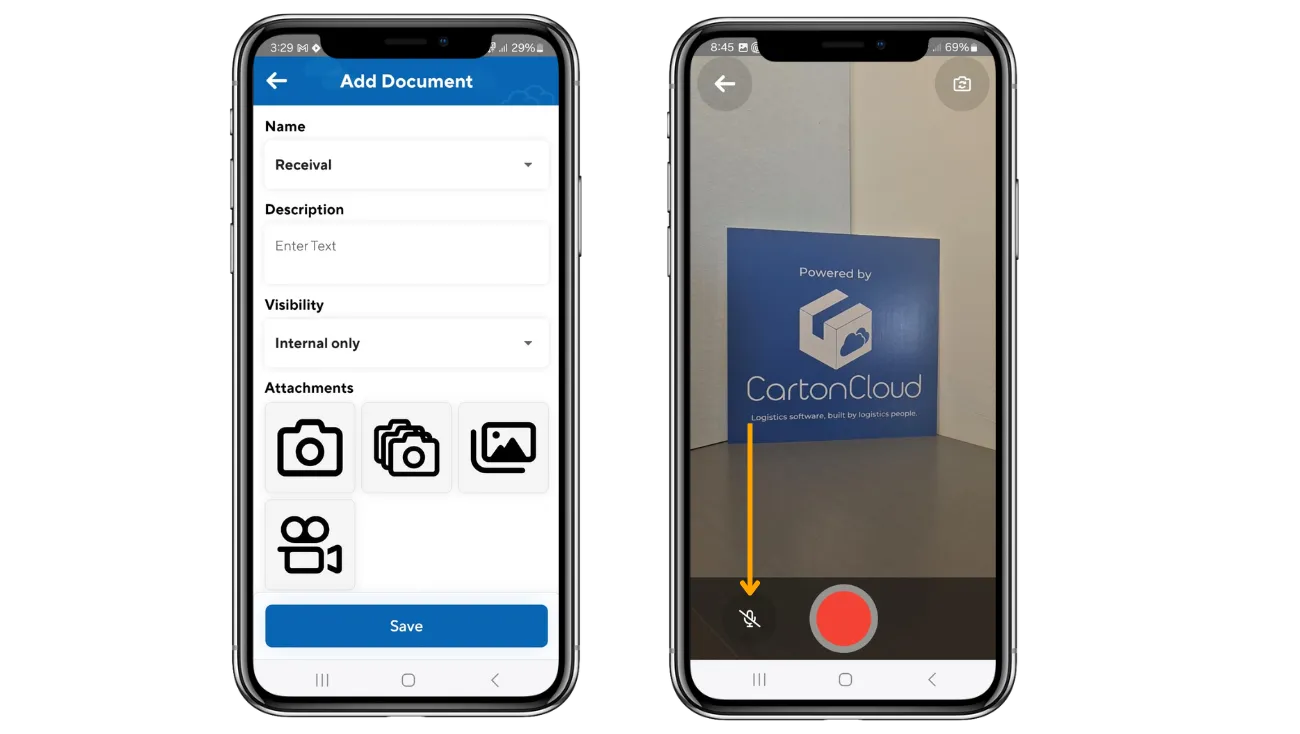
New Photo and Video Lightbox Feature
Managing photos has never been easier! The new lightbox feature enhances your experience with document images and videos on the webapp. You can now more easily view, scroll through, and download photos or videos directly from the Document Edit screen on the web app. All images are displayed clearly within the lightbox, allowing you to stay on the same page while accessing them.

Grid View Layout Option
You can now customise how you view your Photos and Documents captured on Purchase Orders with our new grid view layout. Depending on your preference, you can choose between a traditional list view or an image-rich grid view to better manage your documents. Whether you prefer a cleaner, detailed list or a grid-based layout, this option allows you to work the way that suits you best.

*Explore even more new releases from October in our Oct 2024 New Feature Round Up blog.
Essentials vs. Advanced (WMS Premium): What’s the Difference?
We’re offering two tiers of this feature: Essentials and Advanced. Advanced Documents is part of the Warehouse Premium suite, however it is being provided free to all existing CartonCloud customers until June 30, 2025!
Essentials Documents
- Max 6 images per Document
- Images are always compressed (POD resolution ~700 kb/image)
- Max attachment size 1mb
- Deleted Documents and attachments cannot be restored
- 10gb included storage
Advanced Documents
- Max 100 images per Document
- Default to full-resolution
- Compression options available via settings*
- Max attachment size 500mb
- Multi-photo mode (keep taking photos without the camera closing)
- Video support (added in mobile version: 6.5.0)
- Deleted Documents and attachments can be viewed and restored by non-customer roles*
- 100gb included storage
* = coming soon
.gif)
For more details on the differences between Essentials and Advanced, check out our Knowledge Base Article on Photos and Documents on Purchase Orders. To upgrade to WMS Premium, reach out to support or sales!
Find out more details on other new releases in our September Product Round Up blog here!
Explore the resource hub
Tips, tools, downloadable guides and stories from logistics teams who are working smarter.

How to Automate Warehouse Invoicing, Rate Cards, and Reporting
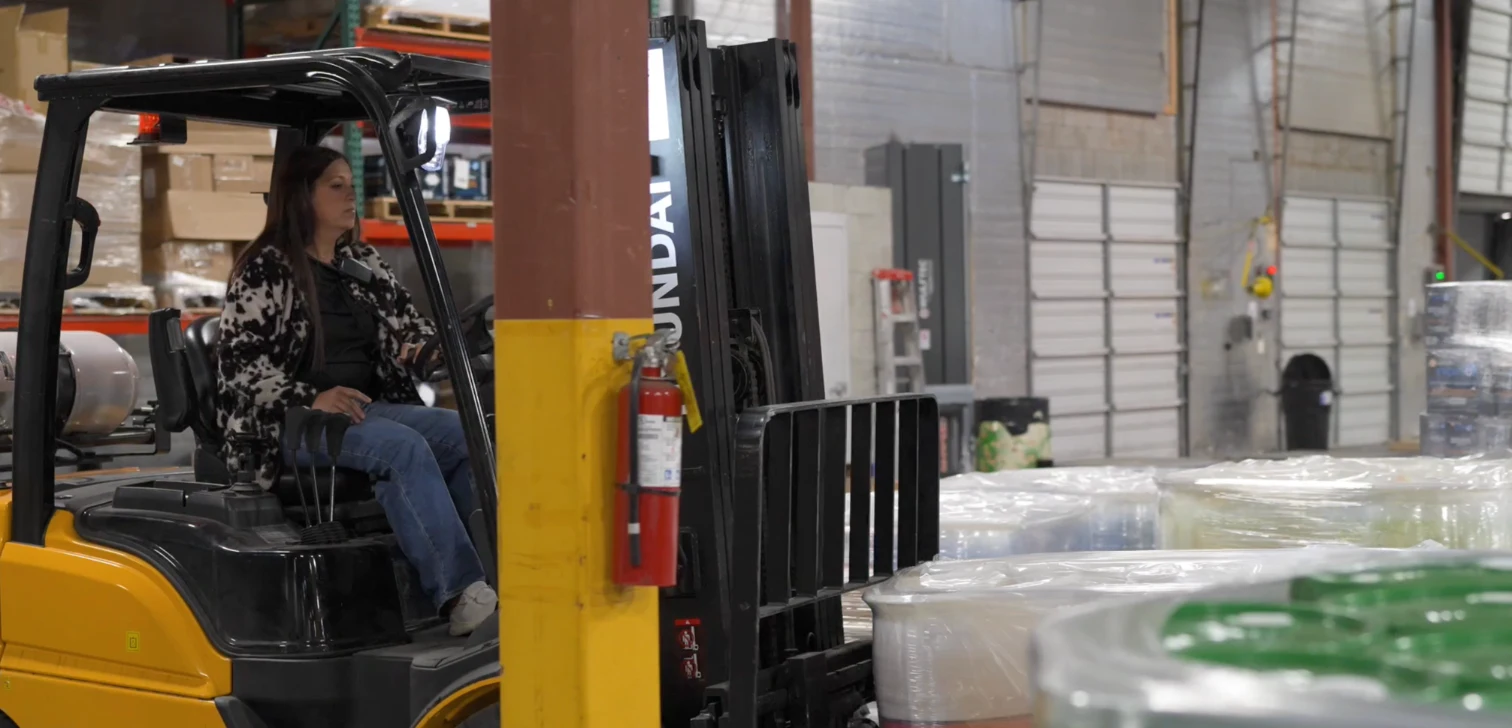
WMS vs TMS: What Growing 3PLs Actually Need
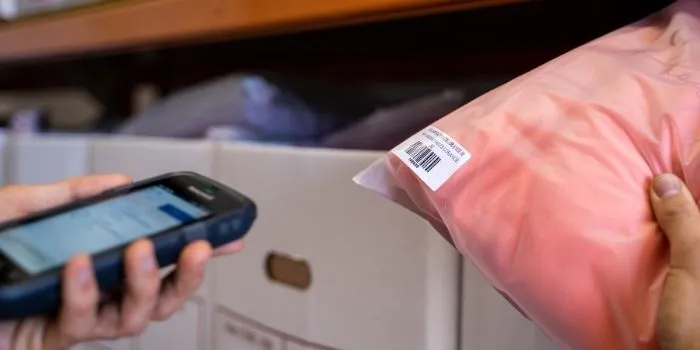
5 Signs Your 3PL Needs a Warehouse Management System
This Week In Logistics: When the System Says Forty and the Shelf Says Twelve — How to Close the Inventory Gap, With Special Guest Gaubrielle Pritchard, Director of Product and Customer Marketing, Cin7
.webp)
The CartonCloud Logistics Index 2026: See where your operation stands

Running WMS and TMS Across Multiple Sites in Australia: The Questions We Answered at MegaTrans 2026
CartonCloud Feature Spotlight: July–September 2026

Deposco Alternatives: What Growing 3PLs Should Consider
What We Heard at B2B World APAC: Large Brands Want Delivery Visibility, Not Just Warehouse Visibility
The Fastest WMS to Implement for E-Commerce Fulfillment 3PLs in the USA

This Week in Logistics: A Cost Rule Peak — Canada's Tariffs Go Live, FedEx Guarantees Your Duties, and Peak Season Surcharges Land

What's the Best WMS for Small 3PLs That Need an Easy Setup?

CartonCloud vs Extensiv: Which Platform Delivers More for 3PLs?

Get a Free, Honest Read on Your Operation, in About Two Minutes

CartonCloud’s Commitment to Security: SOC 2 Type 2 Audit Complete

How to Implement a WMS in Your Small 3PL Business: A Practical Guide
.webp)
This Week in Logistics: Multiple Warehouses, Multiple States, One Standard — How HD Warehousing Does It, With Special Guest Chad Hildebrandt, Owner & COO

August 2026: New Feature Round-Up

Warehouse Software for Cold Storage, Food, and Temperature-Controlled Logistics

This Week in Logistics: Season 2 Returns — US-Canada Tariffs, Oil Volatility, and Panama Canal Cuts All at Once
