Product Update: Add/ Edit Consignment Items from Mobile App
With this CartonCloud product update, drivers will now have the ability to add and edit Consignment Items via the mobile app for Consignments assigned to them.
Published:
March 31, 2022
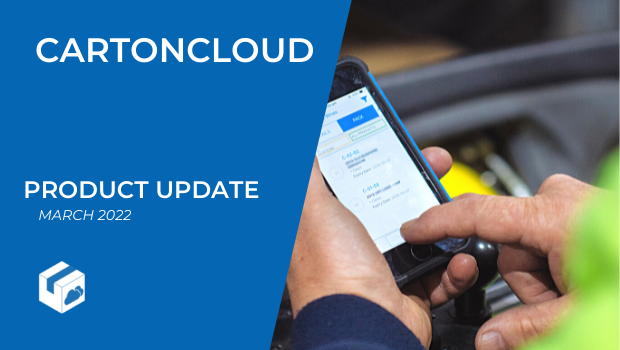
TABLE OF CONTENTS
Allow drivers to edit consignments on the go through the mobile app, with our latest Product Update.
CartonCloud’s transport mobile application lets you automate, streamline and manage your delivery process — and now your drivers have greater flexibility and control over consignments requiring updates on the go.
Our latest Product Update focuses on improving the delivery process by offering greater flexibility and visibility for you, your drivers and customers.
Using the CartonCloud mobile app, drivers can now have the ability to add and edit Consignment Items via the mobile app for Consignments assigned to them. This will enable the driver to adjust the Consignment Item upon collection or before delivery to ensure the quantities being delivered matches the record in CartonCloud.
Add/edit requirements for transport
A driver can edit the service type, the quantity or dimensions of items on a consignment, or add new items to the consignment.
For example, if freight is listed on the consignment note as two separate cartons, but on pick up, it is found to have been packaged as two cartons taped together, the driver would have the ability to amend the consignment item quantity to 1 to better reflect what is physically being delivered. Or, if the quantity or order being collected changes at the collection point, from what was originally ordered. For example, if the consignment note says 10 items are to be collected, but there are actually 11 on arrival, the driver can easily update the consignment items to reflect the additional item and ensure it is included in the charging.
The add/edit function can also be used for quantities that need to be input after pick up; such as the weight of a truckload of gravel, which needs to be loaded and weighed before the exact amount is able to be added to the consignment note.
.gif)
Not only does this improve data accuracy and customer service, but it allows your drivers to identify and record changes in real-time, reducing manual work at a later date.
Ensure data accuracy, at all times
You can also select to have a Consignment Error notification for your administration view, triggered when driver edits are made to Consignment Items.
The Consignment Errors are optional, and can be turned on or off as needed. With it enabled, you will be aware of any discrepancies and changes made to Consignment Items by the drivers, allowing you to stay on top of customer communications and related admin tasks.

This new addition to the mobile transport app will optimise and enhance your delivery service to your customers, improve data accuracy and reduce manual work.
Find out more
For more information on the Driver Add/Edit Consignment Items Mobile Product Update, visit the CartonCloud Knowledge Base or contact the team today.
*Please note that if your CartonCloud account was created prior to 1 July 2019 this feature update may not be available at this stage. If you would like to discuss migrating to the newer version of the CartonCloud TMS, please contact our friendly support team to discuss migrating to V2!
Explore the resource hub
Tips, tools, downloadable guides and stories from logistics teams who are working smarter.

This Week in Logistics: A Cost Rule Peak — Canada's Tariffs Go Live, FedEx Guarantees Your Duties, and Peak Season Surcharges Land

What's the Best WMS for Small 3PLs That Need an Easy Setup?

CartonCloud vs Extensiv: Which Platform Delivers More for 3PLs?

Get a Free, Honest Read on Your Operation, in About Two Minutes

CartonCloud’s Commitment to Security: SOC 2 Type 2 Audit Complete

How to Implement a WMS in Your Small 3PL Business: A Practical Guide
.webp)
This Week in Logistics: Multiple Warehouses, Multiple States, One Standard — How HD Warehousing Does It, With Special Guest Chad Hildebrandt, Owner & COO

August 2026: New Feature Round-Up

Warehouse Software for Cold Storage, Food, and Temperature-Controlled Logistics

This Week in Logistics: Season 2 Returns — US-Canada Tariffs, Oil Volatility, and Panama Canal Cuts All at Once
.webp)
How Do You Know You've Outgrown Basic Warehouse Systems? 7 Signs for Growing US 3PLs
.webp)
CartonCloud Named a 2026 "Great Supply Chain Partner" by SupplyChainBrain
.webp)
Dock Management: How We Built Visibility Into Every Delivery
.webp)
July 2026 — New Feature Round-up

What US 3PL Operators Really Say About Switching From Slow, Complex WMS Alternatives

CartonCloud vs Competitors: An Honest Comparison from an Implementation Specialist
.webp)
Running Multiple Sites from One WMS System: How HD Warehousing Scaled Without the Complexity
.webp)
This Week in Logistics: The Operator Playbook

Deposco Alternatives: What Growing 3PLs Should Consider

CartonCloud Feature Spotlight: April-June 2026
