Meet Fletch: CartonCloud's AI Assistant
See how Fletch is stepping inside CartonCloud to work with your data, and our MCP connects the AI tools you already use.
Published:
November 17, 2026
TABLE OF CONTENTS
For months, CartonCloud's AI assistant, Fletch, has been answering real questions across our website and knowledge base. Now Fletch is available directly inside CartonCloud, in beta and rolling out to customers. Ask in plain English and it looks up stock, finds orders, quotes consignments and creates records, all from your real operational data.
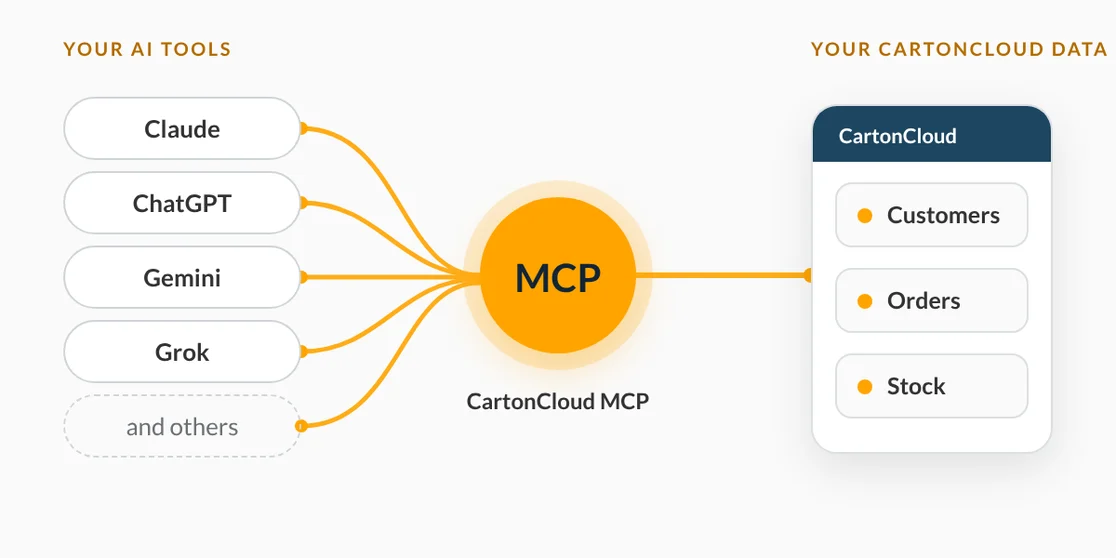
If you'd rather use your own AI tools, CartonCloud's MCP server connects Claude, ChatGPT, Gemini, Grok and others to your CartonCloud data, so you can work with it from the assistant you already use. It's available now on all plans.
TL;DR
- One assistant, three places: Fletch works on our website, in the Knowledge Base, and inside CartonCloud.
- Already live today: Fletch answers questions on our website and in the Knowledge Base.
- What's new: In beta inside the web app, Fletch can find customers, check stock, create orders, quote consignments and run reports.
- Your own AI tools, too: Our MCP server connects Claude, ChatGPT, Gemini or Grok to your CartonCloud data. Available now on all plans.
I'm Vincent Fletcher, Co-founder and Chief Product Officer at CartonCloud. I've always believed that software should make your day easier, not add another screen to learn. That's why we're introducing Fletch, CartonCloud's AI assistant.
Here's a deeper look at what Fletch is, where it works today, and where it's heading.
The evolution of Fletch
Fletch has been live on our website and in our Knowledge Base for a few months, answering real questions from logistics teams.
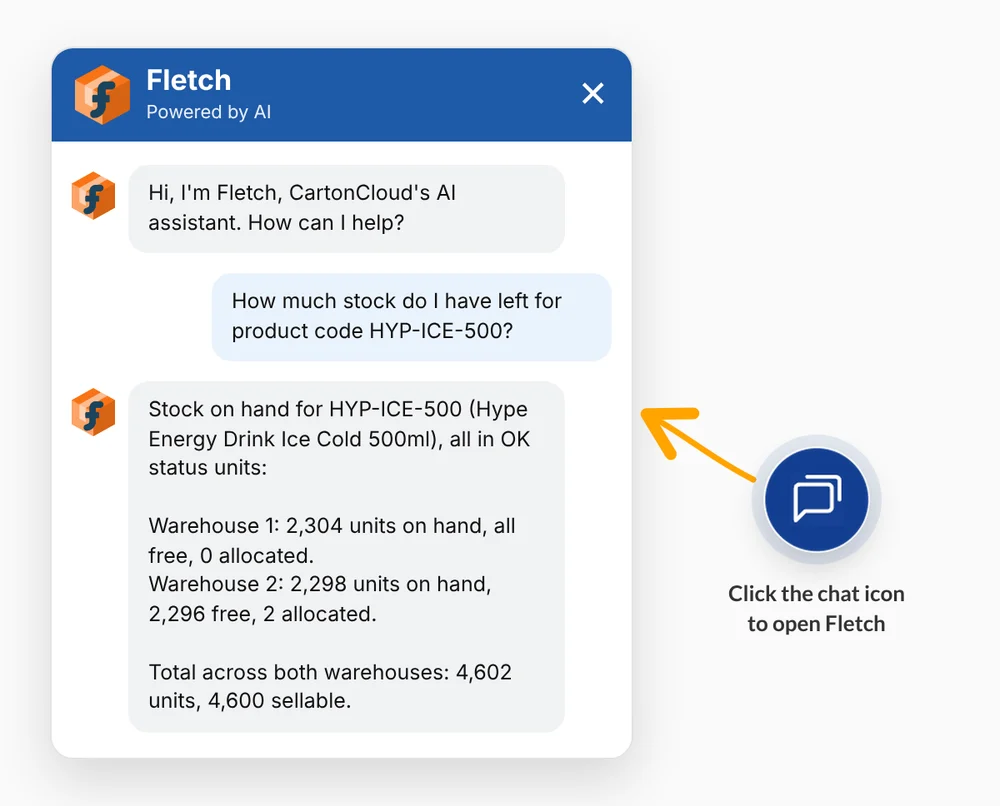
Now Fletch is moving into the platform itself. Inside CartonCloud it's in beta and progressively rolling out across customers. When it's enabled for your account, you'll see the chat bubble at the bottom right of every page.
Fletch is separate from our MCP. Fletch is CartonCloud's own assistant, built into the platform. The MCP is how you connect the AI tools you already use to your CartonCloud data. You can use either, or both.
The Architecture Behind It
We wanted to make sure that Fletch isn't just a chatbot bolted onto a homepage to say we're a part of the AI conversation. That's why Fletch is built right into CartonCloud and works with your real data and your existing permissions, so it can only see and do what you can. It can't delete data. And because many teams already have an AI tool they like, our MCP lets you connect that tool to your CartonCloud data too.
CartonCloud CEO Shaun Hagen framed it simply when we were at Manifest 2026: "AI is a tool. You have to solve a real-world problem with it."
One Assistant at Every Step
Wherever you are in your workday, Fletch meets you right there to help with whatever the moment calls for:
- On our website: If you're looking to explore your WMS + TMS options, Fletch answers your initial questions and guides you straight to what matters most to you.
- In the Knowledge Base: Help should be available whenever you need it. Fletch is on hand 24/7 to guide you through answers step-by-step (and if you prefer a human touch, it can seamlessly connect you with our support team).
- Inside CartonCloud: Ask Fletch to find customers, check stock, create orders, quote consignments and run reports, without clicking through screens. Fletch knows which page you're on, so you can ask in plain English without explaining the context first.
Prefer to Use Your Own AI Tools?
Fletch isn't the only way to work with your CartonCloud data using AI. Our MCP server connects the assistant you already use, whether that's Claude, ChatGPT, Gemini or Grok, directly to your CartonCloud data. Your team can find customers, look up orders, check stock and create draft orders without leaving the tool they're already working in.
To give you a feel for it, you might ask:
- "Show me the inbound orders for [customer] this week."
- "How many pallets of ABC-123 do we have in stock?"
- "Create a draft inbound order with 20 cartons of ABC-123."
Setup takes a few minutes. You add CartonCloud as a custom connector in your AI tool and sign in with your normal CartonCloud user. Your password is never shared with the assistant, it acts as you so it can only see and do what you can, and records can't be deleted through the connector.
The CartonCloud MCP server is available now on all plans. Our Knowledge Base has a step-by-step guide to connecting CartonCloud to your AI tools.
What to Look for When Exploring AI-Ready Platforms
If you're evaluating AI platforms for your logistics business, here are a few practical tips to keep in mind:
- Look beyond the feature list. Don't just count AI features. Check if the AI can actually be used across your entire operation or whether it's stuck in one corner of the product.
- Focus on what's live right now. Look for real, working technology today rather than big promises on a future slide deck. (Fletch is already live on our website and in the Knowledge Base, and our MCP is available now on all plans.)
- Stick to one unified assistant. Having a different AI tool for every single task usually means the underlying data isn't actually connected. Connected data is the foundation of genuine value. When one assistant has a complete view across your entire platform, it can connect the dots for you, helping your warehouse, transport, and office teams work from the exact same single source of truth.
- Prioritise connected data and flexibility. Look for AI that works from your real operational data inside the platform, and lets you connect the AI tools your team already uses. Connected data is what lets an assistant bridge the gap between your warehouse, transport and billing operations.
Curious to see how Fletch can lend a hand in your daily operations? We'd love to show you around! Book a free demo or explore the CartonCloud platform today.
FAQ
Q: What is Fletch?
A: Fletch is CartonCloud's AI assistant. It answers questions on our website and in the Knowledge Base, and inside CartonCloud it looks up your data, answers questions and creates records for you.
Q: Is Fletch just a chatbot?
A: No. A chatbot answers questions on one screen and knows the page you are on. Inside CartonCloud, Fletch works with your real operational data, so it can look up stock, find orders, quote consignments and create records, not just point you to an article.
Q: Can I use my own AI tool with CartonCloud?
A: Yes. Our MCP server connects Claude, ChatGPT, Gemini or Grok to your CartonCloud data, so you can work with it from the assistant you already use. The MCP is separate from Fletch.
Q: Is Fletch available now?
A: Fletch is live on our website and in the Knowledge Base. Inside CartonCloud it's in beta and rolling out across customers. The MCP is available now on all plans.
Q: How do I connect my own AI tool?
A: Add CartonCloud as a custom connector in your AI tool and sign in with your normal CartonCloud user. Setup takes a few minutes, and our Knowledge Base has a step-by-step guide.
Q: What can Fletch and the MCP see and do?
A: Both work with your real CartonCloud data and your existing permissions, so they can only see and do what you can. Your password is never shared with the assistant, and records can't be deleted through either.
Q: How is Fletch different from other AI features in logistics software?
A: Many AI features sit in one corner of a product. Fletch is built into CartonCloud and works from your connected operational data, and our MCP lets you bring the AI tools your team already uses to that same data.
Explore the resource hub
Tips, tools, downloadable guides and stories from logistics teams who are working smarter.
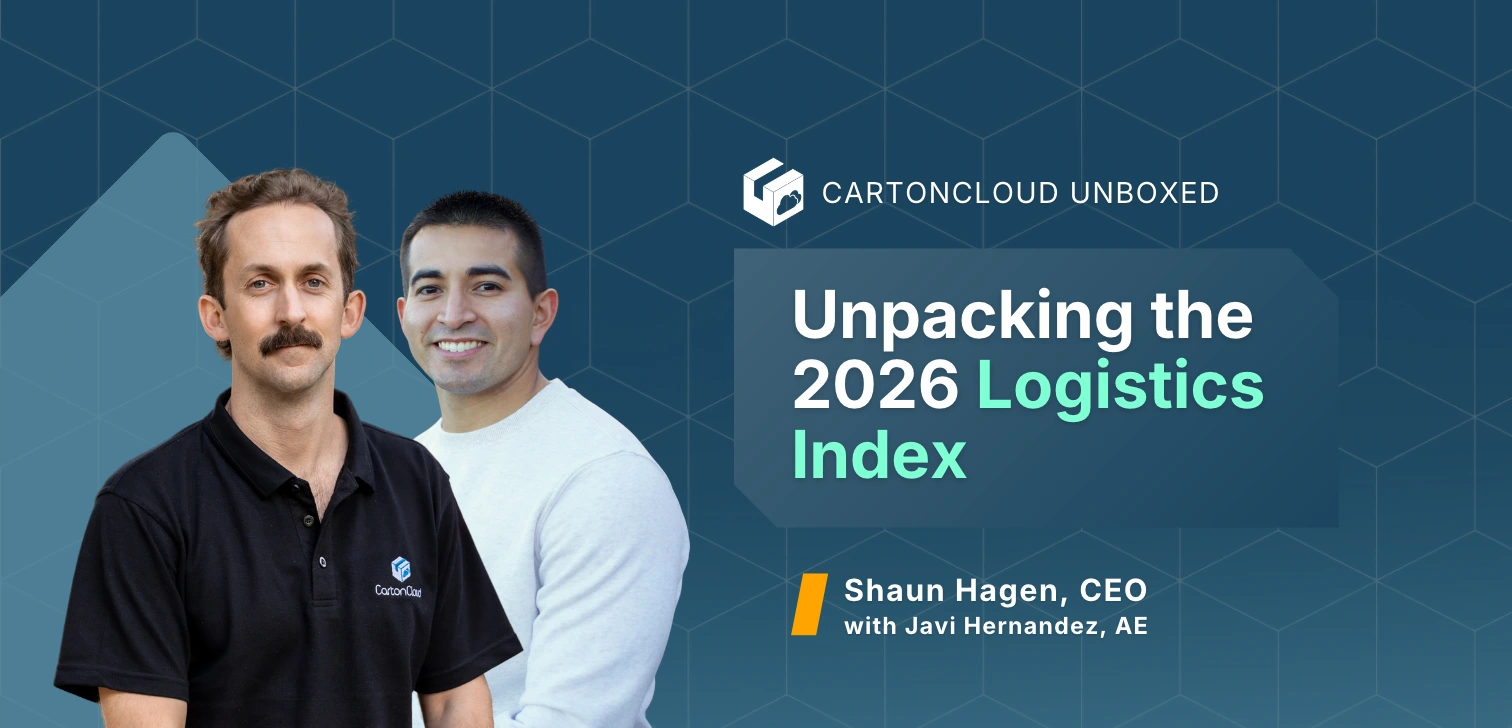
CartonCloud Unboxed Webinar: Unpacking the 2026 Logistics Index

This Week in Logistics: Tracking Tariffs, the Rent Reset, and Peak Season Cut-offs

ShipHero Alternatives: What Growing 3PLs Should Consider

Why US 3PL Operators Top Rate CartonCloud's Support and Onboarding (From Real Reviews)

October 2026: New Feature Round-Up
What Warehouse Management Systems Work Best for Multi-Client 3PL Operations?
What Is Directed Putaway (and Does Your Warehouse Need It)?
This Week in Logistics: Inside the 2026 CartonCloud Logistics Index

How to Automate Warehouse Invoicing, Rate Cards, and Reporting
WMS vs TMS: What Growing 3PLs Actually Need
5 Signs Your 3PL Needs a Warehouse Management System
This Week In Logistics: When the System Says Forty and the Shelf Says Twelve — How to Close the Inventory Gap, With Special Guest Gaubrielle Pritchard, Director of Product and Customer Marketing, Cin7
The CartonCloud Logistics Index 2026: See where your operation stands

Running WMS and TMS Across Multiple Sites in Australia: The Questions We Answered at MegaTrans 2026
CartonCloud Feature Spotlight: July–September 2026
Deposco Alternatives: What Growing 3PLs Should Consider
What We Heard at B2B World APAC: Large Brands Want Delivery Visibility, Not Just Warehouse Visibility
The Fastest WMS to Implement for E-Commerce Fulfillment 3PLs in the USA

This Week in Logistics: A Cost Rule Peak — Canada's Tariffs Go Live, FedEx Guarantees Your Duties, and Peak Season Surcharges Land

What's the Best WMS for Small 3PLs That Need an Easy Setup?