CartonCloud Feature Spotlight: April-June 2026
A full rundown of everything we shipped last quarter — from 150+ carrier connections and eight new storefront integrations to smarter packing, SSCC scanning, and a stack of billing and admin improvements.
Published:
July 9, 2026

TABLE OF CONTENTS
Between April and June 2026, CartonCloud shipped one big release and dozens of supporting ones, all pointing the same direction: connecting your selling channels, your warehouse floor, and your carriers into one place. The headline is Carrier Connections — 150+ carriers direct from the Pack Screen. Around it landed eight new storefront integrations, a major packing slip upgrade, SSCC barcode scanning in Putaway Mode, and a long list of billing and admin improvements.
TL;DR:
- Carrier Connections now connects you to 150+ carriers directly from the Pack Screen, with free carrier-platform access through Shippit and EasyPost.
- Ten new self-managed storefront integrations — including Walmart Marketplace US, TikTok Shop, and Amazon Seller Central.
- Pack Screen packing slips can now be printed, downloaded, and broken down per item.
- SSCC (GS1-128) barcode scanning in Putaway Mode captures product, batch, expiry, and quantity in a single scan.
- Billing and admin got quieter but genuinely useful upgrades — rate card exports, auto-fix address data, and more.
- Coming next: Scan Load / Unload, bring clarity to delivery chaos with Dock Management, and more.
Last quarter was a big one, so I want to walk through what actually changed and why it matters on the floor. If you'd rather see it all in the system, everything is linked out to the detail.
The big one: Carrier Connections
Basically, if your team is still running a separate carrier portal alongside CartonCloud, this is the release that changes your daily rhythm.
Carrier Connections gives you access to 150+ carriers directly from the Pack Screen. You can rate shop in real time, book shipments, print labels, and push tracking back to your customers automatically — without leaving CartonCloud. And through our partnerships with Shippit and EasyPost, that carrier-platform access is provided free to CartonCloud customers, which for a lot of operators is a direct saving on software they're paying for today.
The reason this matters operationally is that every tab-switch and every manual tracking update is a place where things go wrong. Pulling it into one workflow means fewer errors and less time spent reconciling.
What's included:
- Rate shopping live from the Pack Screen, so you can pick the right carrier at the moment of packing
- Carrier selection rules set per warehouse or per customer — set your logic once and let it run
- Cost + Margin billing that recovers freight charge-outs precisely, using our TMS rating engine, without manual calculation
- International shipment support — additional standard fields on products and sale orders to handle customs end to end
- Comprehensive logging — every quote, booking, and print request is logged, so you can self-diagnose issues without calling support
- Bring your own accounts or use pre-negotiated rates
For the full picture, see How to Connect, Automate + Scale Your Shipping, and check the carrier integrations page for the current list.
We’re rolling out Carrier Connections now! Reach out to our team to have this enabled.
Ten storefront integrations, including TikTok Shop!
More of your selling channels now connect directly to CartonCloud — and the important part is that these are self-managed, so you or your customer can set them up without raising a support ticket.
Orders flow in as Sale Orders the moment they're placed, and tracking writes back automatically. No manual entry, no reconciliation headaches. Walmart Marketplace US and TikTok Shop were added this quarter and we have more on the way!
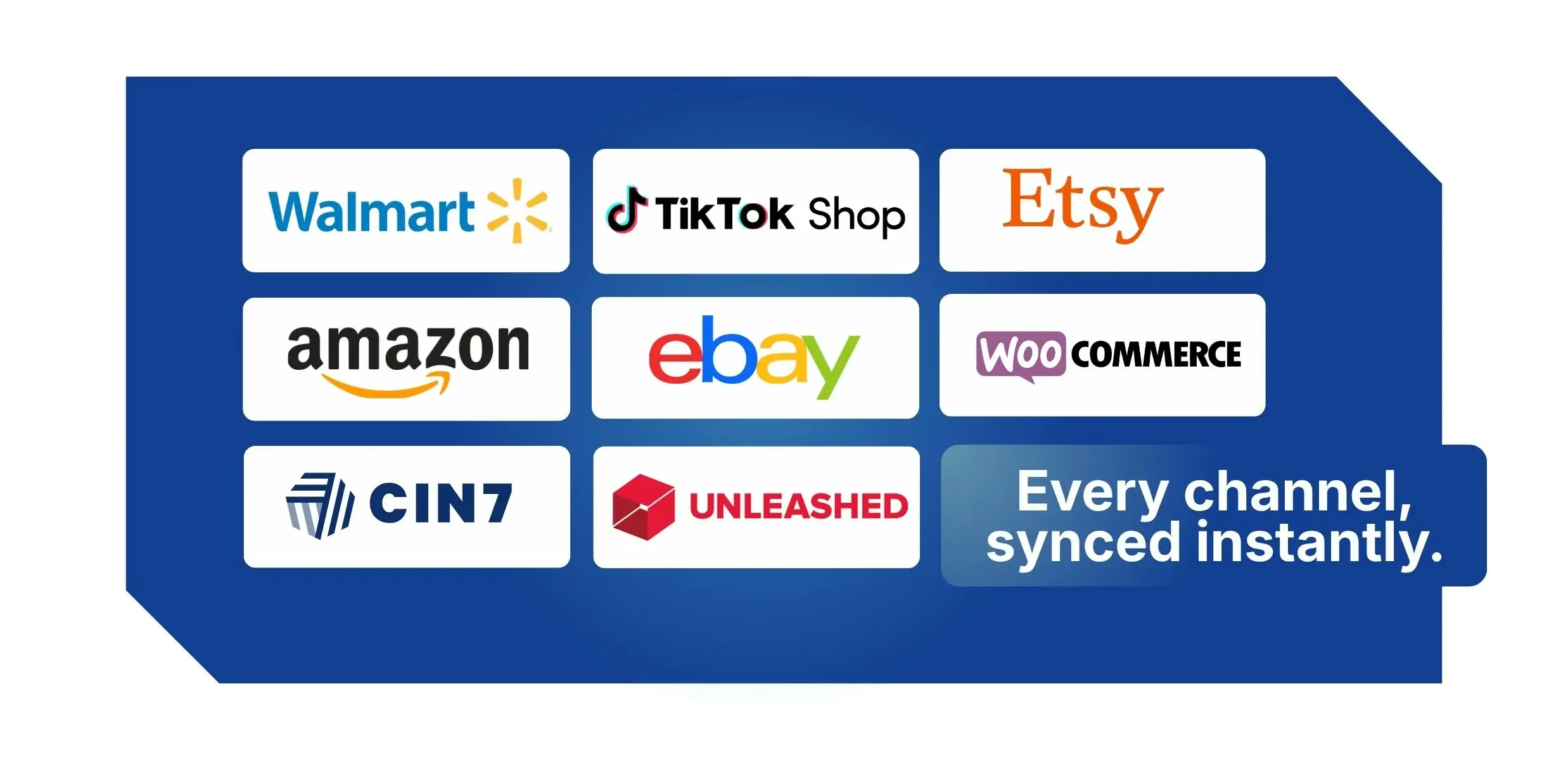
CartonCloud storefront integrations:
- Walmart Marketplace US
- TikTok Shop
- Shopify
- Xero
- WooCommerce
- Amazon Seller Central
- eBay
- Etsy
- Cin7 Core
- Unleashed
What operators actually need here is one source of truth, whether they're fulfilling for one channel or ten That's what this gets you. You can see the full list of available CartonCloud strefront connecton the integrations page.
Smarter packing on the Pack Screen
A run of Pack Screen improvements landed this quarter, all aimed at the same outcome: packing faster, with more confidence, and fewer errors to chase later.
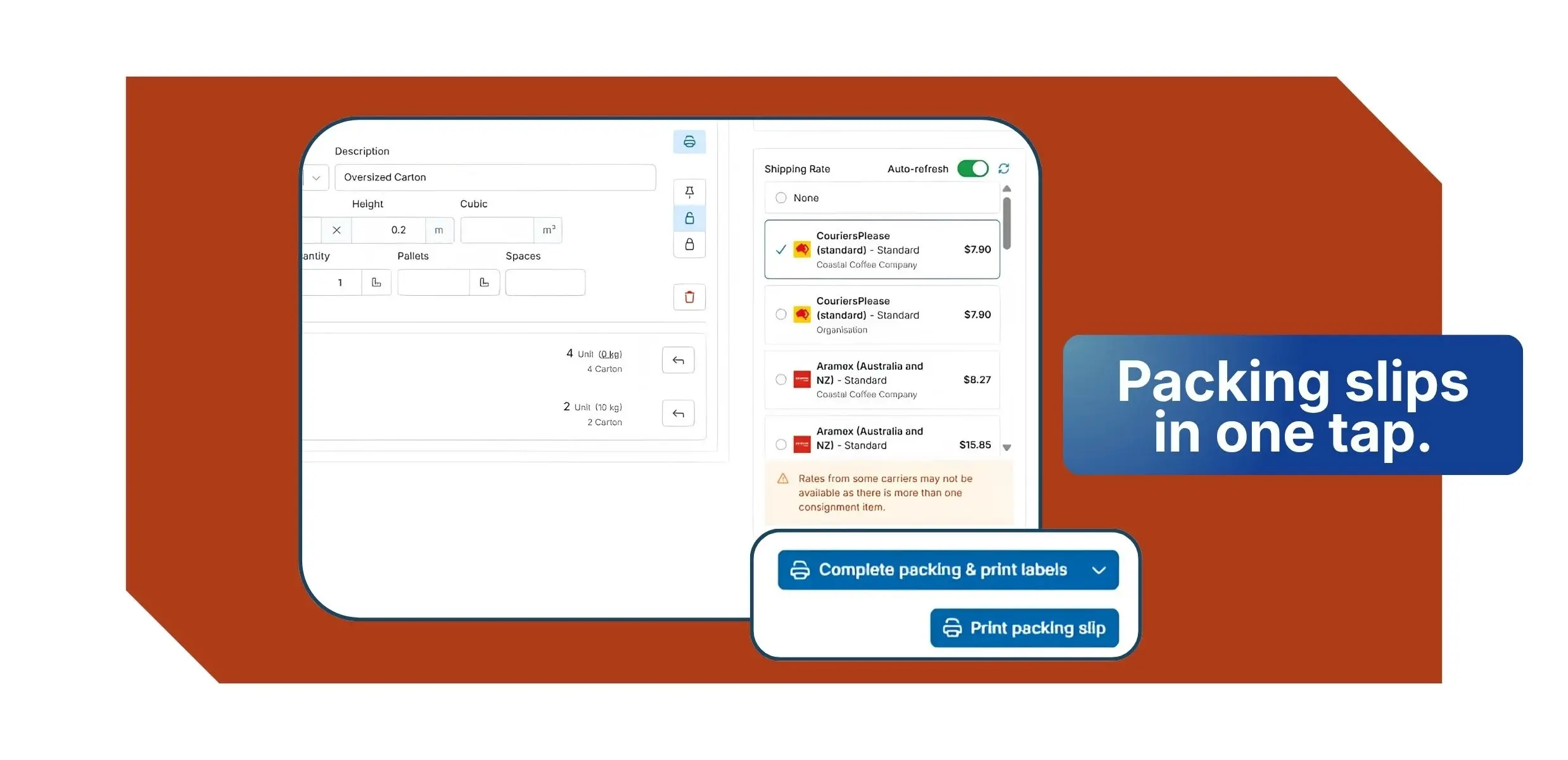
Print, download, and per-item packing slips
You can now print or download packing slips directly from the Pack Screen — for the whole order or just a selected consignment item — or trigger printing by scanning new action barcodes. There's also a new Per-Item Packing Slip template that shows exactly what's packed in each package, configurable at both the organisation and customer level.
More ways to keep the pack accurate
- Packing verification photos — capture visual proof of what was packed, straight from the Pack Screen, which cuts down disputes and speeds up resolutions
- Add or edit tracking details mid-pack without switching screens
- Auto-pack and bypass improvements — stock is packed into consignment items automatically, even when bypassing the pack screen
Essentially, these are the small things that add up over a shift. For why that matters at volume, we wrote about it here: Precision at Scale.
SSCC barcode scanning in Putaway Mode
This one's for anyone receiving GS1-labelled stock. CartonCloud now supports SSCC (GS1-128) barcode scanning directly in Putaway Mode on Android.
Scan a single GS1 barcode from the Purchase Order Product list and CartonCloud automatically captures the product code, batch or lot number, expiry date, and quantity — no manual data entry. It matches the barcode to the right Purchase Order Product, splits the quantity if needed, applies the encoded fields, and marks the item confirmed, all from one scan. If the scanned product isn't on the Purchase Order, the app can create the record from the barcode data on the spot, so putaway never stops.
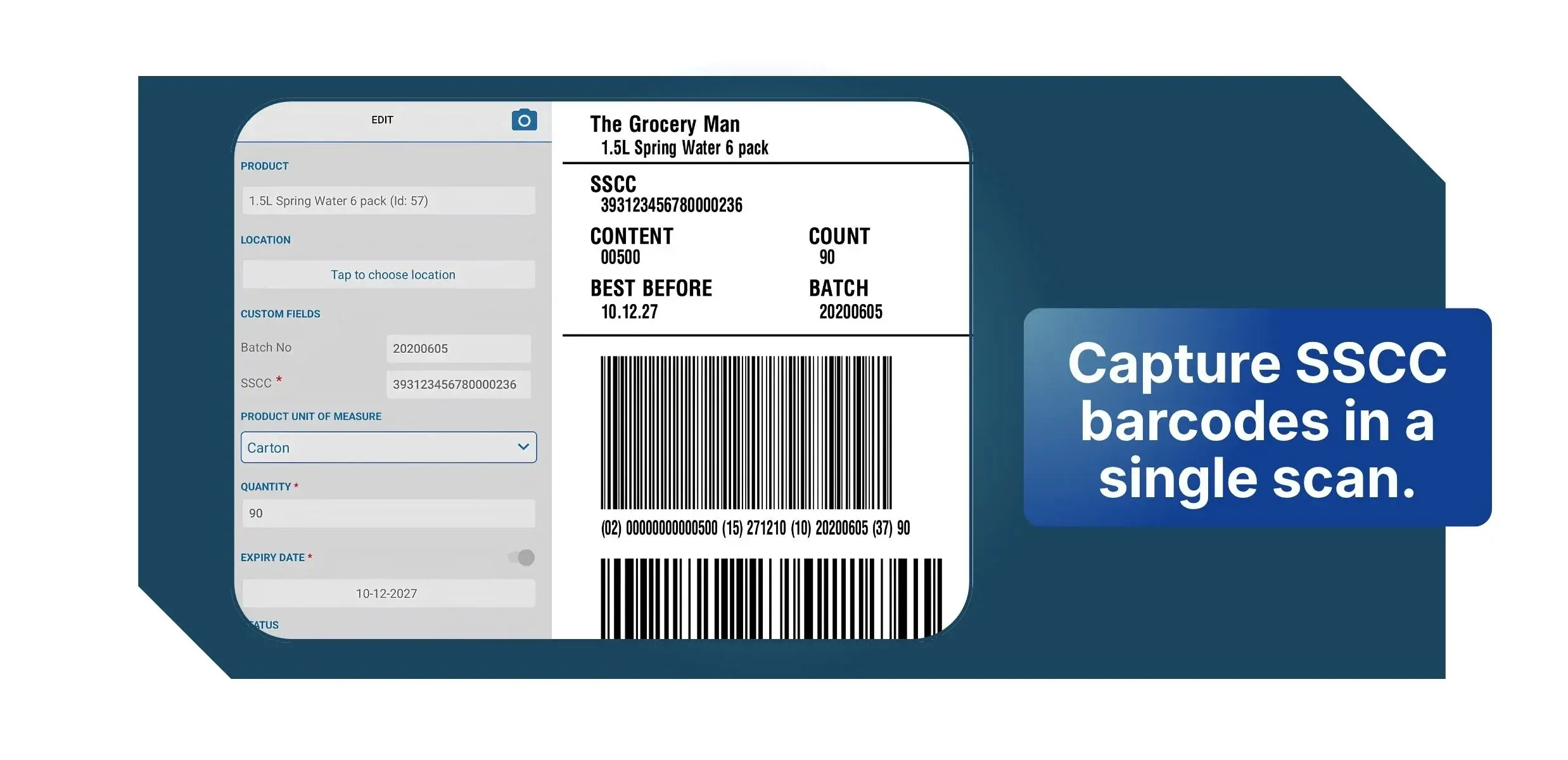
A few things worth knowing:
- Android only for now — requires the CartonCloud Android app version 6.48.0 or higher
- SSCC must be enabled for your account, as it's an add-on feature
- Application Identifiers need to be mapped to your Purchase Order Product custom fields before scanning will populate field data
This pairs naturally with our existing lot and serial management, and it really cuts the time and error out of receiving.
Billing and admin: quick wins that save real time
Not every release is a headline. A lot of what we ship is the kind of thing that quietly saves your team hours every week. Here's what landed on the billing and invoicing side this quarter.
- Rate Card Export — export your full rate card as a PDF or Excel file, including adhoc, storage, handling, and warehouse charges, ready to share with clients in a clean format
- Auto-Fix Address Data — a misspelled suburb or mismatched postcode can fail a carrier booking before it starts, so this setting corrects suburb, city, state, and postcode fields automatically using Google geocoding, with every correction logged in the address history
- Fuel levy in charge exports — see fuel levy amounts and applied percentages as separate columns for easier surcharge validation
- Customisable storage invoice summaries — surface the details that matter, including expiry dates, batch fields, and product tags
- Internal-only Purchase Order custom fields — keep sensitive operational notes hidden from customer-facing views while your team keeps full access
- Customer-specific labels — upload per-customer versions of Consignment Item, Consignment ZPL, and Sale Order ZPL labels in Customer Settings
- More document template placeholders — new placeholders for packing slips, pick lists, and pallet labels, including weight totals and requested shipping service
What's next
Scan Load / Unload — you'll be able to scan consignment items on and off vehicles, with full scan history captured against each consignment. We've already put the groundwork live: new Manifest and Run Sheet statuses (Cancelled, Loading, Completed, and Verified) that will start updating automatically as consignments complete.
Dock Management — A bird's-eye view of every delivery coming in and out of your warehouse, all inside CartonCloud. Carriers book their own slots via custom links, your floor sees live arrivals on a dashboard, and drivers check themselves in on arrival — so you can replace the manual calls, emails and guesswork with a schedule everyone can see. The result: less dock chaos, less idle labour, and full control over a part of the operation that's usually anything but predictable.
BI Dashboard revamp — Our BI Dashboard is getting a major upgrade: instead of relying on fixed templates, you'll be able to build and manage your own dashboards and reports, tracking exactly the numbers that matter to your business. The headline addition is a built-in AI assistant — just ask it a plain-English question like "what's my average dispatch time this week?" and it builds the chart for you on the spot, no report-writing skills needed.
More Click+Connect Storefronts — Squarespace and Wix are joining our line-up of self-managed storefront integrations this July. Connect either platform straight to CartonCloud yourself, no support call needed, and new orders sync in automatically as Sale Orders, ready for your team to pick and pack, with tracking written back once you dispatch. It's the same self-managed setup you already get with Shopify, WooCommerce and eBay, now extended to two more popular storefront platforms.
What this means for operators
The theme running through this quarter is connection — and specifically, taking work that used to live in separate systems or manual steps and pulling it into one flow.
- Fewer systems to run. Carrier Connections and the storefront integrations mean less switching between platforms and less re-keying.
- Accuracy built into the workflow. Verification photos, SSCC scanning, and auto-fix address data catch errors at the source instead of after the fact.
- Less admin, more capacity. The billing and admin work is the unglamorous stuff that gives your team their time back.
If you'd like to see how any of this works for an operation like yours, book a free demo — or if you're already with us, reach out and we'll help you get set up.
FAQ
Q: What is Carrier Connections in CartonCloud?
A: Carrier Connections is a CartonCloud feature that connects operators to 150+ carriers directly from the Pack Screen. It supports live rate shopping, shipment booking, label printing, and automatic tracking updates, with free carrier-platform access through partnerships with Shippit and EasyPost.
Q: Which storefront integrations did CartonCloud add this quarter?
A: CartonCloud added eight self-managed storefront integrations: Walmart Marketplace US, TikTok Shop, WooCommerce, Amazon Seller Central, eBay, Etsy, Cin7 Core, and Unleashed. Orders flow in as Sale Orders automatically, with tracking written back without manual entry.
Q: What is SSCC barcode scanning in Putaway Mode?
A: SSCC (GS1-128) barcode scanning lets operators scan a single GS1 barcode to automatically capture product code, batch or lot number, expiry date, and quantity during putaway. It's available on Android (app version 6.48.0 or higher) and requires SSCC to be enabled as an add-on feature.
Q: Can I customise packing slips on the Pack Screen?
A: Yes. Packing slips can now be printed or downloaded directly from the Pack Screen, for a whole order or a single consignment item. A new Per-Item Packing Slip template is also available, configurable at both the organisation and customer level.
Q: What does Auto-Fix Address Data do?
A: Auto-Fix Address Data automatically corrects suburb, city, state, and postcode fields using Google geocoding, helping prevent carrier bookings from failing due to address errors. Every correction is logged in the address history for full traceability.
Explore the resource hub
Tips, tools, downloadable guides and stories from logistics teams who are working smarter.

CartonCloud Feature Spotlight: July–September 2026
Deposco Alternatives: What Growing 3PLs Should Consider
What We Heard at B2B World APAC: Large Brands Want Delivery Visibility, Not Just Warehouse Visibility
The Fastest WMS to Implement for E-Commerce Fulfillment 3PLs in the USA

This Week in Logistics: A Cost Rule Peak — Canada's Tariffs Go Live, FedEx Guarantees Your Duties, and Peak Season Surcharges Land
What's the Best WMS for Small 3PLs That Need an Easy Setup?

CartonCloud vs Extensiv: Which Platform Delivers More for 3PLs?

Get a Free, Honest Read on Your Operation, in About Two Minutes

CartonCloud’s Commitment to Security: SOC 2 Type 2 Audit Complete

How to Implement a WMS in Your Small 3PL Business: A Practical Guide
.webp)
This Week in Logistics: Multiple Warehouses, Multiple States, One Standard — How HD Warehousing Does It, With Special Guest Chad Hildebrandt, Owner & COO

August 2026: New Feature Round-Up
Warehouse Software for Cold Storage, Food, and Temperature-Controlled Logistics

This Week in Logistics: Season 2 Returns — US-Canada Tariffs, Oil Volatility, and Panama Canal Cuts All at Once
.webp)
How Do You Know You've Outgrown Basic Warehouse Systems? 7 Signs for Growing US 3PLs
.webp)
CartonCloud Named a 2026 "Great Supply Chain Partner" by SupplyChainBrain
.webp)
Dock Management: How We Built Visibility Into Every Delivery
.webp)
July 2026 — New Feature Round-up

What US 3PL Operators Really Say About Switching From Slow, Complex WMS Alternatives

CartonCloud vs Competitors: An Honest Comparison from an Implementation Specialist